


Triptych
A music player for your own Jellyfin server. One library, three looks. Free on Windows, Linux, Android and iPhone.
Download TriptychNothing. Black and white, one red light, dot-matrix lyrics.
A player for your own music.
Streaming apps rent you music. Triptych plays the files you already have: your MP3s and FLACs, ripped CDs, old downloads. Keep them on your own Jellyfin server and listen on your computer and phone in an app that feels like Spotify or Apple Music. No subscription, no ads.
Your music files
Albums and songs on your computer, NAS or home server.
Jellyfin server
Free software that organizes them and streams them to your devices.
Triptych
The app you listen with, on Windows, Linux, Android and iPhone.
Up and running in three steps.
Put your music on Jellyfin
Install Jellyfin on a computer that stays on (a PC, a NAS or a small server) and point it at your music folder. It reads your tags and cover art and builds the library. Already running Jellyfin? Skip ahead.
Get Jellyfin, freeMusicSlipknotWe Are Not Your Kind01 Insert Coin.flac02 Unsainted.flac03 Birth of the Cruel.flacElán…Install Triptych
Download it for your devices: an installer for Windows, an APK for Android, an AppImage or snap for Linux, and an .ipa you can sideload on iPhone. Install it on as many devices as you like.
See all downloads- Windows
- Android
- Linux
- iPhone
Sign in and press play
Open Triptych, type your server's address and your Jellyfin username and password. Your whole library shows up: artists, albums, playlists and liked songs. Your settings follow you to every device.
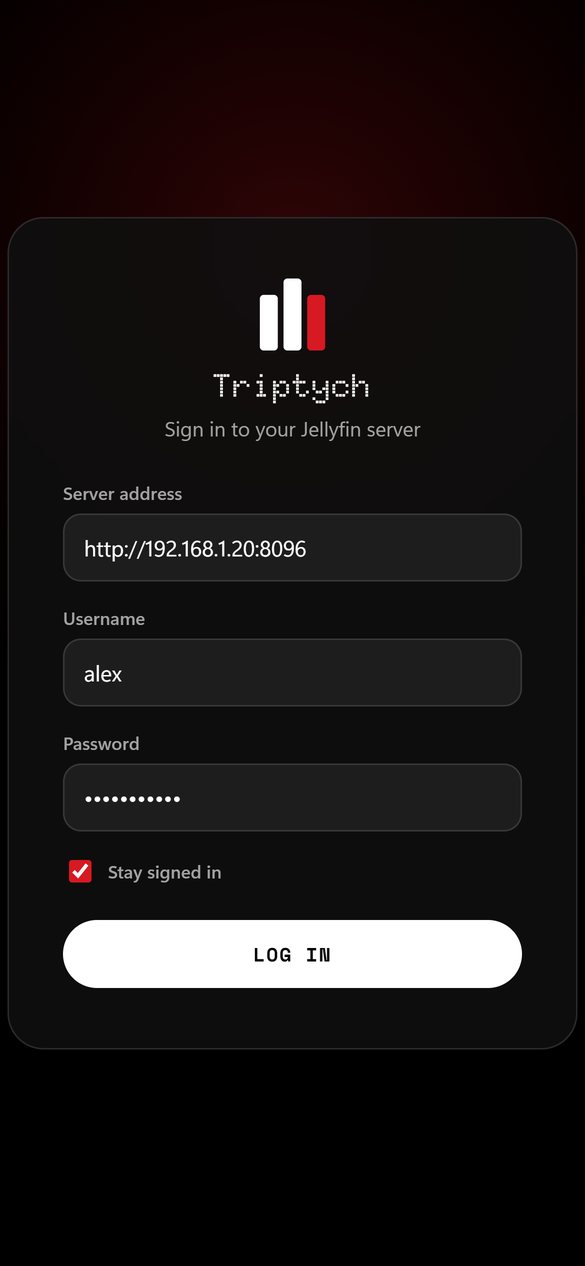

Twenty seconds of Triptych.
Signing in, an artist page, synced lyrics and a switch between all three looks, recorded in the app. No sound.

Made for listening.
- Synced lyrics
- Lines light up with the song, from lrclib.net, your own server or lyrics.ovh.
- Offline downloads
- Save albums and playlists to your phone and listen without a connection.
- Lock-screen controls
- Play, pause and skip from the lock screen. Music keeps playing in the background.
- A real queue
- Songs you add play in order, before the rest of the album. Drag to reorder, swipe to remove.
Everything else you'd expect.
- Gapless & crossfade
- Gapless playback, with an optional 0–12 second crossfade between songs.
- ReplayGain
- Even volume across your library, using loudness data your server already has.
- Stats & Wrapped
- Real listening time, your top songs and artists, and a year in review every December.
- Equalizer
- A five-band EQ with presets, and a loudness boost on Android.
- Themes & custom CSS
- Light and dark, a dozen accent colors, community color schemes, or your own CSS.
- Discord status
- On desktop, show what you are listening to, cover art included.
- Cast & sleep timer
- Send playback to other Jellyfin devices, or stop the music after a set time.
- 15 languages
- English, Slovak, Czech, German, French, Spanish, Polish and more.
Good to know.
Is Triptych free?
Yes. It is free and open source, with no subscription, ads or account of ours to sign up for.
Do I need a Jellyfin server?
Yes. Triptych plays music from a Jellyfin server, and does not include music of its own. Jellyfin is free too, and runs on Windows, macOS, Linux and most NAS boxes.
Can I play Spotify or Apple Music songs with it?
No. Triptych plays music files you own that are on your Jellyfin server. The Spotify, Apple Music and Nothing options only change how the app looks.
Does it work away from home?
Yes, as long as your phone can reach your server, for example through a VPN like Tailscale or a public address. Songs you download play with no connection at all.
What happens to my data?
Your library and listening history stay on your device and your own server. A few optional lookups (missing cover art, lyrics and update checks) talk to outside services, and the Privacy Policy lists exactly what is sent. Read the Privacy Policy.
Which devices are supported?
Windows, Linux, Android and iPhone. On iPhone the app is installed by sideloading an unsigned .ipa, for example with AltStore or Sideloadly.
Found a bug? Missing something?
Write it here and it opens as a new issue on GitHub, where you can check it and post it. You need a free GitHub account.
Download
Latest release. Windows updates itself from inside the app; on iPhone, sideload with AltStore or Sideloadly. After installing, open Triptych, enter your Jellyfin server address and sign in.